
The Bloatware Dilemma: Why Resolve 21’s Photo Page Has Colorists Ringing the Alarm
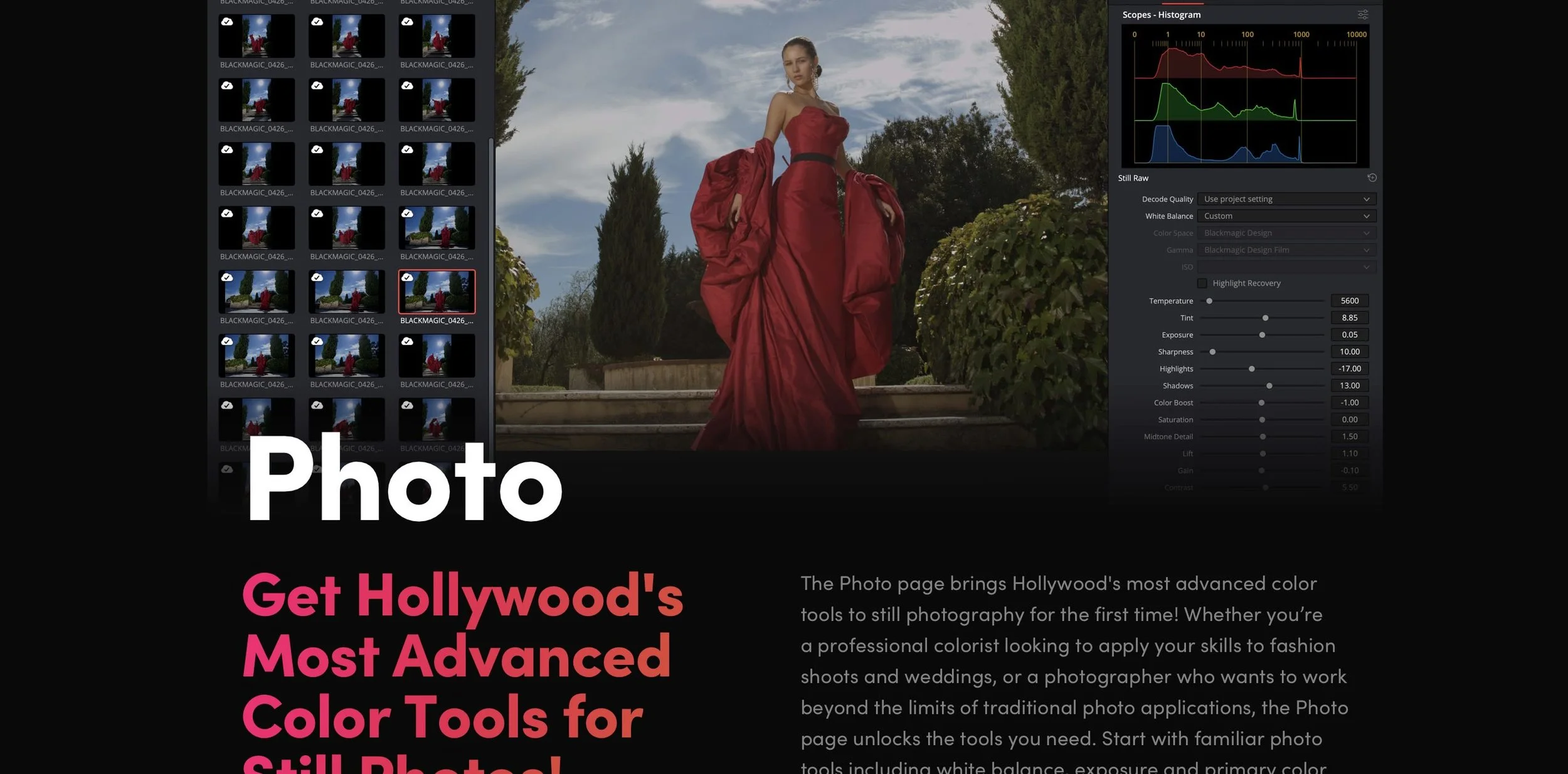
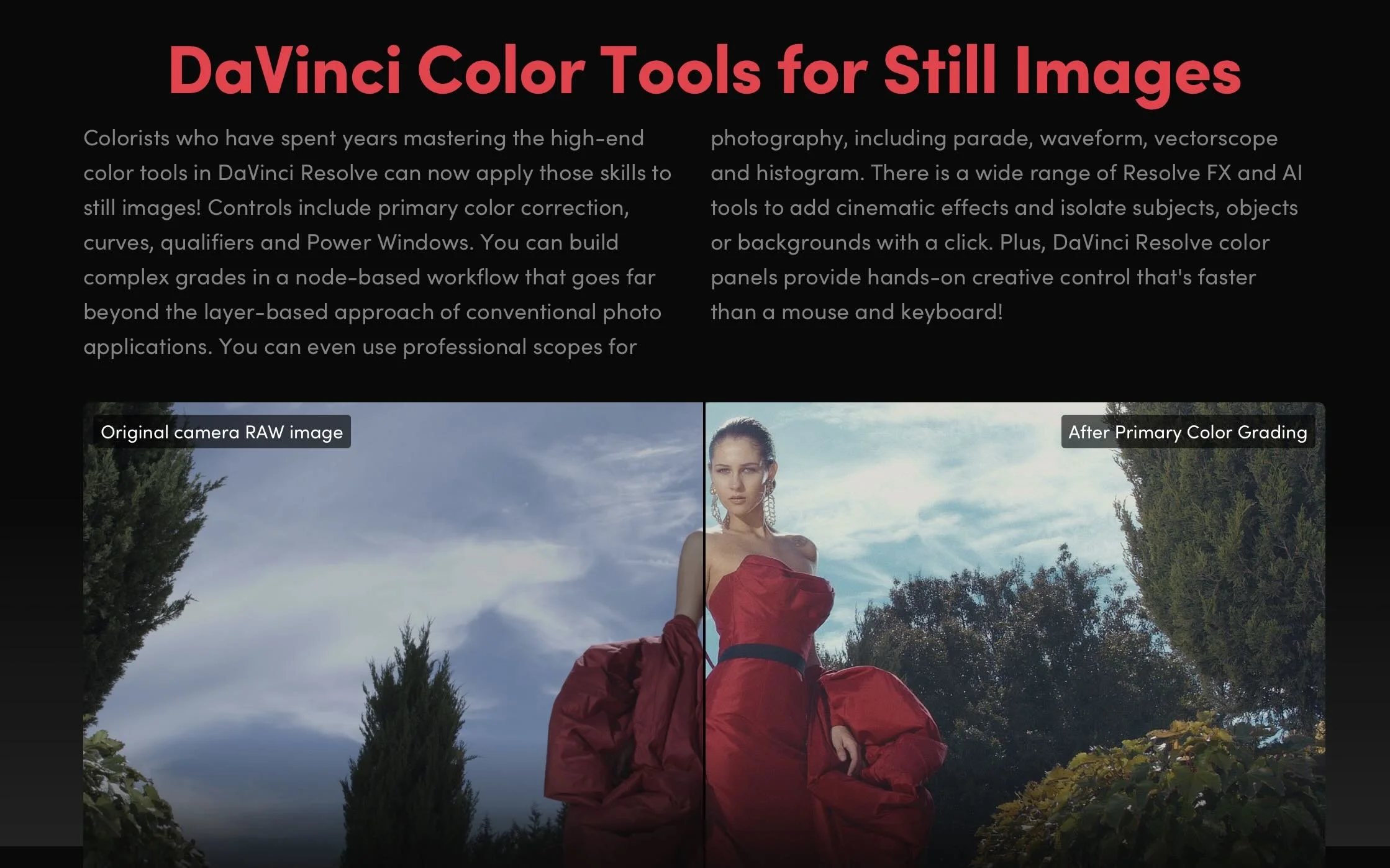
Blackmagic Design dropped DaVinci Resolve 21, and the headline feature sparked an immediate civil war in the post-production community. Alongside expected AI upgrades like IntelliTrack, Blackmagic unveiled a fully dedicated Photo Page designed to process, manage, and grade RAW still photography using Resolve’s famous node-based system.
While hybrid content creators praised the update as a potential "Adobe killer," professional colorists are pushing back hard. The community consensus? Blackmagic is steering its flagship program directly into "jack of all trades, master of none" territory, risking the very stability that made the software an industry standard.
The All-in-One Trap: From Color Suite to Bloatware
For a decade, Blackmagic’s aggressive expansion has been celebrated. They took an elite, expensive color-grading platform and seamlessly stitched in the Edit, Cut, Fusion (VFX), and Fairlight (Audio) pages. It was a masterclass in disruption.
However, with the introduction of the Photo page, colorists argue that Blackmagic has crossed a line from "post-production suite" to unnecessary software bloat. Video and film are time-based mediums. Photography is spatial and static. Forcing a photo cataloging and raw processing system into a video render engine feels less like a strategic evolution and more like a feature-creep identity crisis.
Why Colorists Are Criticizing the Photo Page
The core objection from colorists isn't that they hate photographers; it's that they fear code instability and distracted development priorities.
The "Jack of All Trades" Dilution: When software tries to handle everything—from 3D spatial audio mastering to Lightroom catalog migrations—engineering resources get split. Colorists are frustrated that decades-old bugs or niche workflow requests on the Color Page are taking a backseat to building tethering systems for still cameras.
The Lightroom Comparison is Flawed: YouTube thumbnails might scream "Goodbye Lightroom," but professionals know better. Resolve 21 lacks critical photographer infrastructure: standard print modules, advanced lens correction profiles, pixel-level healing brushes, and native DNG exports. It’s clunky for photographers, making it a feature nobody asked for.
Performance Hijacking: Running a high-end color panel (like the Advanced Panel) to tweak a single JPEG image feels absurd. Colorists worry that the underlying database and GPU acceleration architectures will suffer under the weight of managing thousands of high-megapixel static image files alongside heavy timelines.
A Warning from Creative History
The industry has seen this movie before, and it didn't end well. Look no further than Adobe. Photoshop, once a pure digital darkroom, became bloated with 3D engines and video timelines that users despised, forcing Adobe to eventually strip them out.
By pushing Resolve into the photo arena, Blackmagic risks alienating the core demographic that built the software's prestige: the professional colorist. When Hollywood facilities choose a color grading platform, they choose it because it is the absolute master of color—not because it can also edit a wedding photographer's RAW files.
Final Thoughts: Stick to the Code
Blackmagic Design deserves credit for their legendary free-update model and fierce defense of perpetual licenses. But DaVinci Resolve 21's Photo page feels like a feature built for marketing bullet points rather than professional necessity.
If Blackmagic wants to conquer the photography market, they should build a dedicated standalone app. Forcing it into Resolve risks breaking the finest color tool ever made by turning it into a sluggish, generalized ecosystem. Sometimes, being the master of one is exactly what the industry needs.
What are your thoughts on Resolve 21? Are you using the Photo page, or do you think Blackmagic needs to stop adding pages and focus on core stability? Let’s discuss in the comments below.